


Zhiyun CINEPEER CRANE 4E Gimbal Stabilizer
TAJZCP-CRANE4E
Couldn't load pickup availability
BUY NOW, PAY LATER OPTIONS
You'll see these pay-later options at checkout. To use one, you'll first need to sign up with the provider and be approved.
SHORT DESCRIPTION
SHORT DESCRIPTION


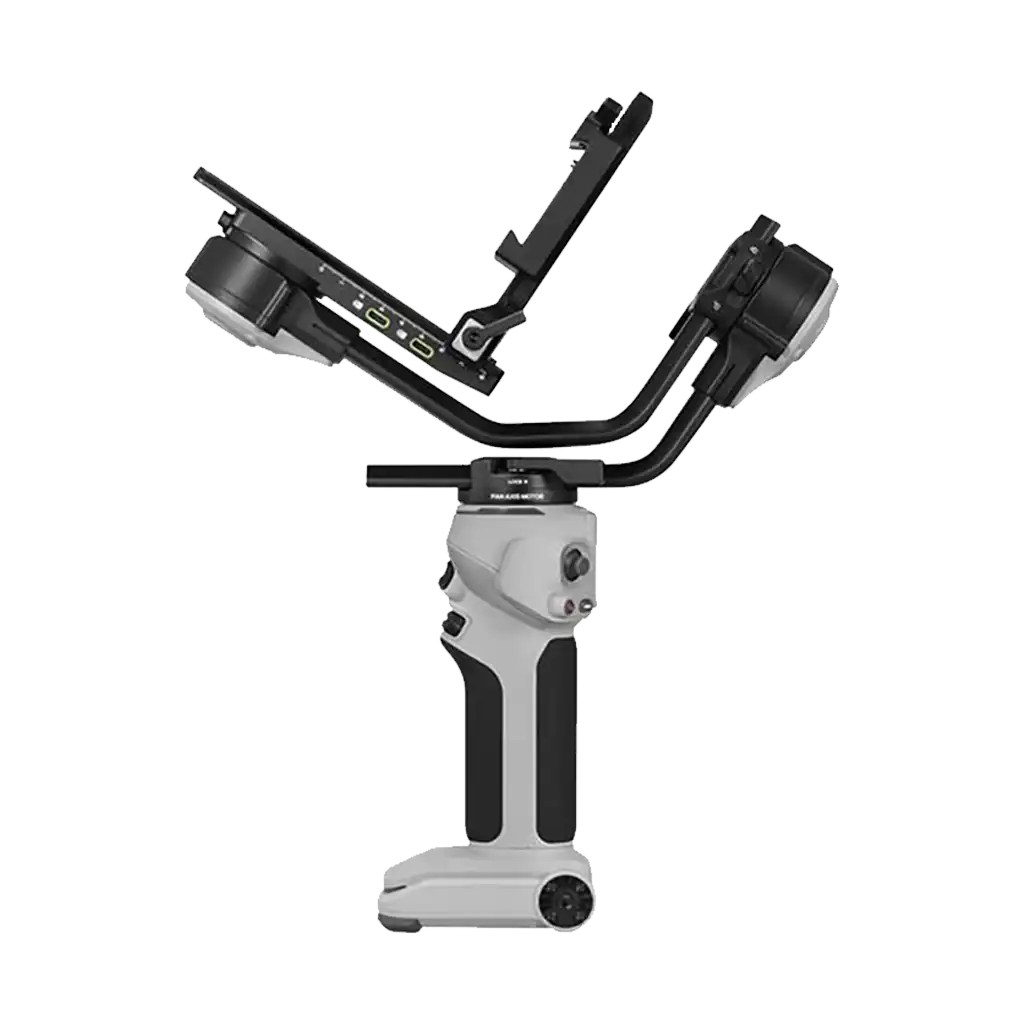
The Zhiyun CINEPEER CRANE 4E Gimbal Stabilizer features the same form factor as the CRANE 5, but provides a simplified gimbal design without the fill light and balance indicator.
Using the onboard controls, the CRANE 4 E offers 360° pan, 207° tilt, and 70° roll rotation. You will also find a vertical lock structure enabling you to effortlessly switch between vertical and horizontal orientations. A lens support is included to ensure your heavier lenses are supported from below for easier balancing.
While the Zhiyun CINEPEER CRANE 4E Gimbal Stabiliser includes camera control cables, you are also able to control the shutter and toggle recording via the onboard controls and touchscreen using Bluetooth on compatible cameras.
Using the onboard touchscreen and controls, you can toggle between gimbal modes like Pan Follow Mode, Lock Mode, POV Mode, Follow Mode, Go Mode, Vortex Mode, and Portrait Mode, as well as Panorama, Time-Lapse, and Motionlapse. These settings allow you to set the torque, smoothness, follow speed, and joystick speed of the gimbal. You can also customise the function of the trigger button and front dial to toggle settings or modes of your choice.
In front of the camera mounting area on your Zhiyun CINEPEER CRANE 4E Gimbal Stabilizer you will find two USB-C ports where you can connect follow focus motors for remote control. You will also find another USB-C port behind the camera accepting camera control cables or connects to a separately available TransMount Transmission system.
Four built-in batteries with a total capacity of 2600mAh offer a runtime of up to 12 hours. On the base of the 4E, you will find a USB-C charging port supporting PD fast charging, charging in about 1.5 hours.
Native Vertical Mount, Lens Support
You will also find a vertical lock structure on the Zhiyun CINEPEER CRANE 4E Gimbal Stabilizer enabling you to effortlessly switch between vertical and horizontal orientations. A lens support is included to ensure your heavier lenses are supported from below for easier balancing.
Bluetooth 5.0 Shutter Control
While the Zhiyun CINEPEER CRANE 4E Gimbal Stabiliser includes camera control cables, you are also able to control the shutter and toggle recording via the onboard controls and touchscreen using Bluetooth on compatible cameras.
1.22" Colour Touchscreen, Onboard Controls
Using the onboard touchscreen and controls, you can toggle between gimbal modes like Pan Follow Mode, Lock Mode, POV Mode, Follow Mode, Go Mode, Vortex Mode, and Portrait Mode, as well as Panorama, Time-Lapse, and Motionlapse. These settings allow you to set the torque, smoothness, follow speed, and joystick speed of the gimbal. You can also customise the function of the trigger button and front dial to toggle settings or modes of your choice.
ZY Play App
Control your gimbal remotely from your iOS or Android device using the ZY Play App. Features of the app include virtual joystick control, photo and video control, motion sensor control, time-lapse, panorama, and firmware upgrade. The gimbal's embedded Bluetooth technology facilitates the app connection.
Follow Focus and Video Transmitter Integration
In front of the camera mounting area on your Zhiyun CINEPEER CRANE 4E Gimbal Stabilizer you will find two USB-C ports where you can connect follow focus motors for remote control. You will also find another USB-C port behind the camera accepting camera control cables or connects to a separately available TransMount Transmission system.
All-Day Production
Four built-in batteries with a total capacity of 2600mAh offer a runtime of up to 12 hours. On the base of the 4E, you will find a USB-C charging port supporting PD fast charging, charging in about 1.5 hours.
- Zhiyun CINEPEER CRANE 4E Gimbal Stabilizer
- Zhiyun Mini Tripod
- Zhiyun Quick Release Plate
- Zhiyun Camera Quick Release Plate
- Zhiyun Lens Support
- Zhiyun Lens Support Screw
- 2x Zhiyun USB Cable
- 3x Zhiyun 1/4"-20 Screw
- Zhiyun 3/8"-16 Screw
- Zhiyun Allen Wrench
| Gimbal Design |
| Number of Axes | |
| Rotation Range | |
| Stabilization Accuracy | |
| Joystick Controller |
| Camera Control | |
| Camera Mounting Screw |
| Inputs/Outputs | |
| Wireless | |
| Mobile App Compatible |
| Battery Type | |
| Battery Runtime | |
| Battery Charging Time |
| Operating Voltage |
| Display Type | |
| Accessory Mounting | |
| Dimensions | |
| Weight |